Antilibrary
A tool that lets you ask questions of your PDFs, EPUBs, text files, and Word documents. Think ChatPDF or Box AI, but running as a notebook you control. Built on langchain and gradio.
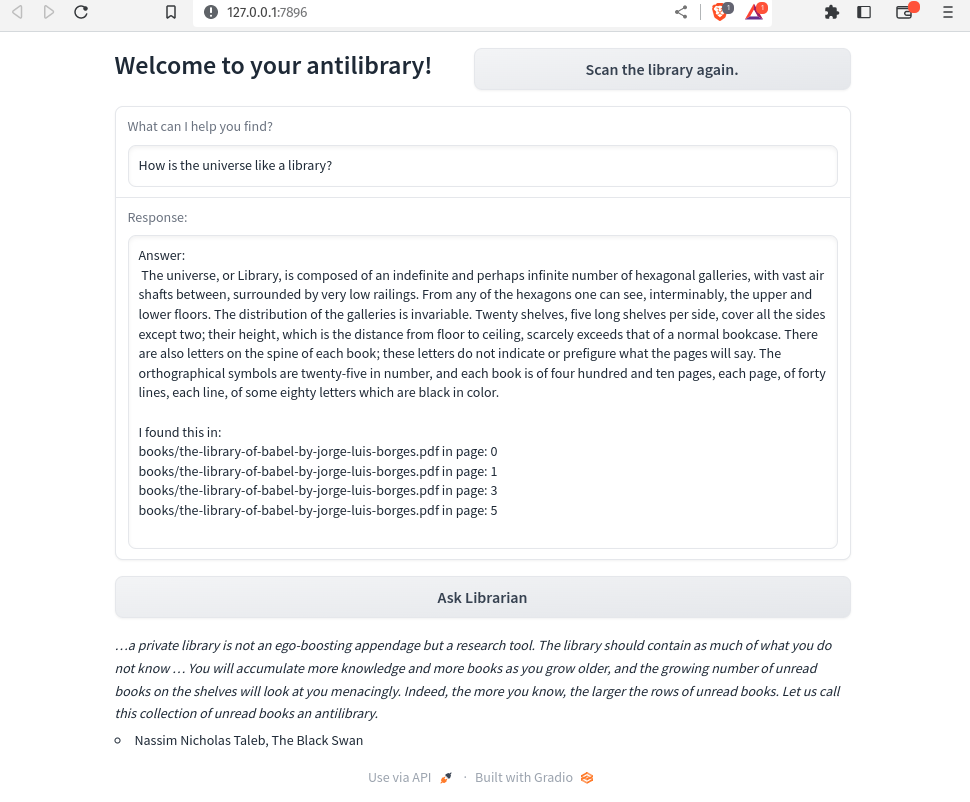
The name comes from Umberto Eco’s concept of the antilibrary — the books you haven’t read yet, which are arguably more valuable than the ones you have.
How it works
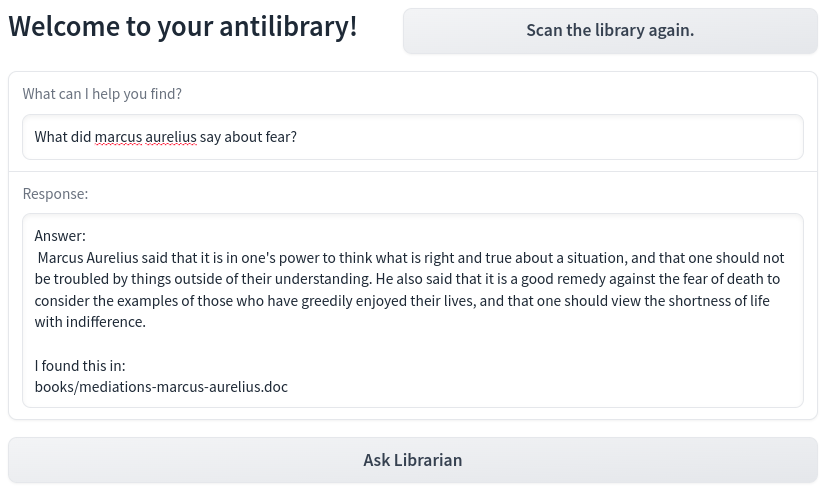
Antilibrary reads your documents, generates embeddings, and uses those embeddings to find text relevant to your question. That relevant text is then passed to OpenAI’s API alongside your question to generate a response. It’s a straightforward RAG (Retrieval Augmented Generation) pipeline.
How to use
- Download
Antilibrary-OpenAI.ipynb - Create a folder named
booksin the same directory — put your documents there - Add your OpenAI API key where indicated in the notebook
- Run each section; the last section opens the UI
Supported formats: PDF, DOC, DOCX, TXT, MD, EPUB. If you add new documents while the program is running, hit “Scan the library again.”
If you’re running in Google Colab, you can point it at a Drive folder instead of a local books directory.
Note: Because of how the search works, specific and detailed questions get much better results than broad or generic ones. This isn’t a chatbot — it’s a document searcher with a language model on top.
License
MIT.