Mokuton
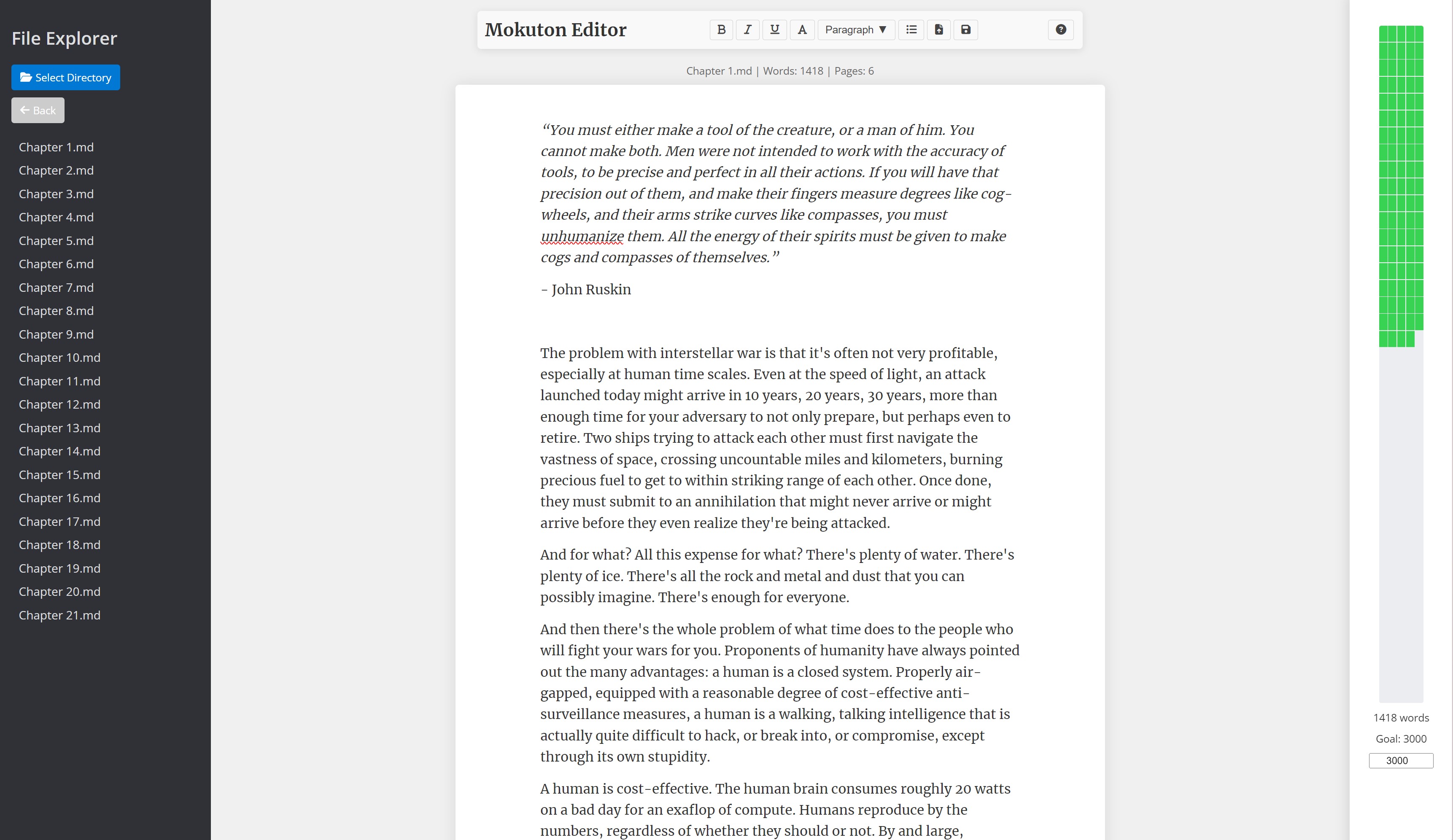
A simple, no-frills text editor. It combines modern aesthetics — a Medium-like interface, a block-style editor — with broad compatibility. It’s a single HTML file that runs on damn near anything, and gives you exactly what you need to write your story, and nothing else. No fonts to worry over. No lengthy packages or libraries to install and download. Just keep it in your browser and write.
Rationale
Modern word processors are fantastic, but they try to do too much for my liking. There’s usually immense feature creep in most commercial software; and when it comes to open-source editors, often a stunningly stupid number of libraries and configurations that have to be done.
After several novels and many papers under my belt, I’ve moved on from using every feature under the sun to being a much more simple man:
- I want an interface that looks friendly (and doesn’t look like an IDE), tracks my daily word progress, and in case of a power cut, preserves my data without needing an Internet connection.
- I want to write, not spend the rest of my lifetime configuring environment variables or figuring out a user interface designed to appease every possible slice of the market.
- I want to be able to set the thing up on a new device, especially the low power writing devices that I use, without hassle.
Mokuton does exactly that. You open it in your browser and start writing: that’s it. It uses browser cache to store what you write, so even in case of power cuts you don’t lose data. It exports to Markdown, so any data generated by this program can be read and modified by any text editor. It tracks word counts so you can set daily writing goals for yourself and watch as the progress bar fills up. It is a single HTML file and extremely lightweight that can be opened on pretty much any modern browser.
Usage
- Download and open
mokuton.html - Use the left sidebar to navigate your directories and open files
- Set your daily word count goal in the right sidebar
- Click in the main editor area to start writing
- Use the top toolbar for formatting; click the help icon for keyboard shortcuts
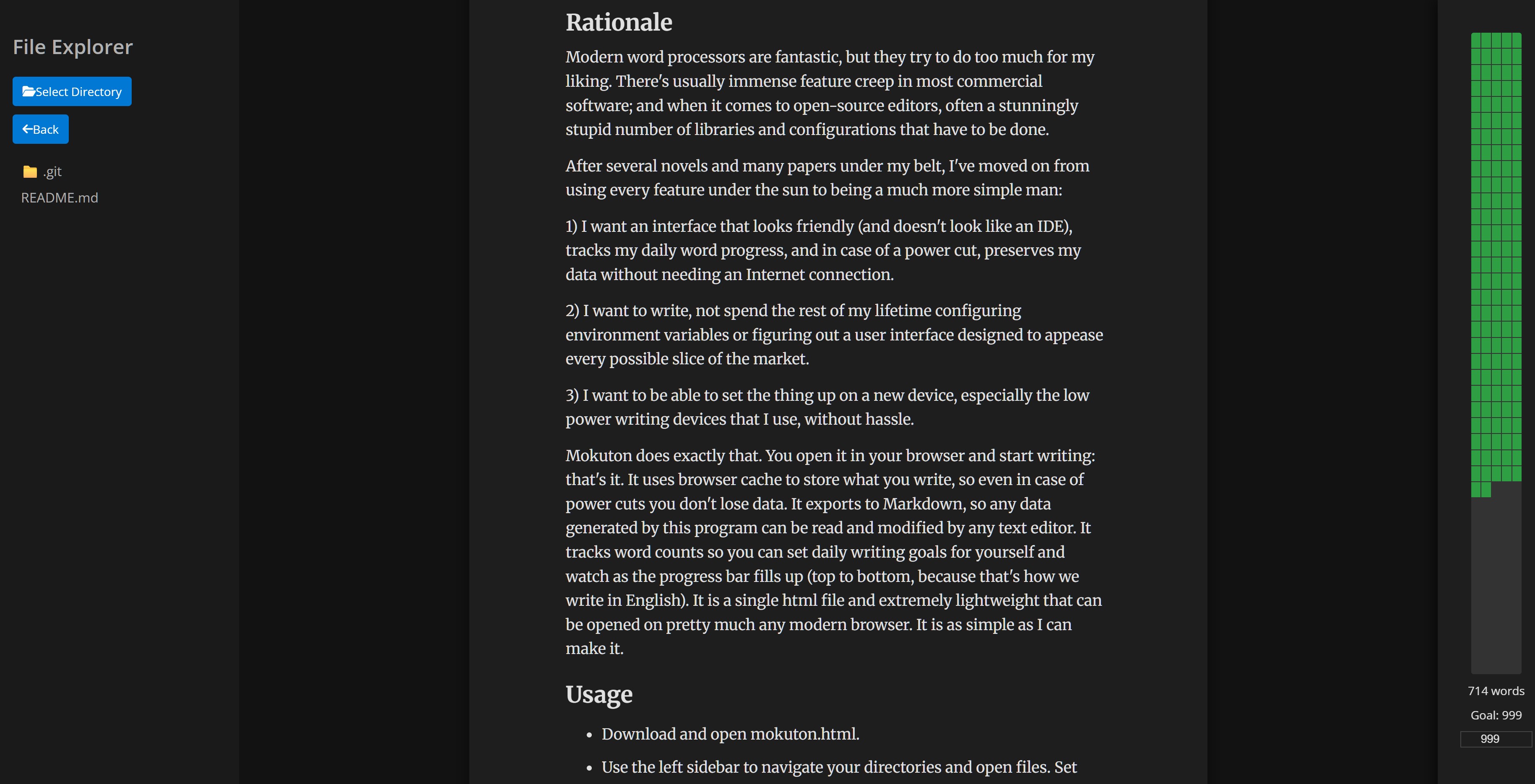
Dark mode was added in v1.2.0 and the choice is persistent. The previous terminal-style variant (mokuton_dark.html) has been retired in its favour.
What’s changed recently (v1.2.0, 2026-02-18)
- Dark mode — added to the main file; the separate terminal variant is gone. Toggle persists across sessions.
- localStorage fix — work was saved but never reloaded on refresh. State now restores correctly on startup; closing the tab or losing power no longer loses your draft.
- Performance — the progress meter was rebuilding 200 DOM elements on every keystroke. The grid is now created once; keystrokes only toggle a CSS class. Better for low-power devices.
- Formatting buttons — Bold, Italic, and Underline now actually work. Switch Case button toggles selected text between UPPERCASE, lowercase, and Title Case.
- Browser compatibility — file handling now has fallbacks for Firefox, Safari, and older browsers (previously Chromium-only).
- Better Markdown — export converts HTML tags to proper Markdown syntax; import converts standard Markdown into native editor.js blocks.
- File selection limited to
.mdand.txtto prevent accidentally opening a 20MB Word document and breaking everything.
Acknowledgements
Built using Editor.js, Font Awesome for icons, and Google Fonts. MIT licensed.
Name
Wood Release (木遁, Mokuton) is a nature transformation kekkei genkai — a combination of Earth and Water Release, famously used by Hashirama Senju.