Minuett
If Winamp was my first real introduction to the idea of a playlist, RealPlayer 10 (in 2005) was my introduction to the jukebox-style “library”: music sorted by artist and nicely catalogued, instead of being in a mess of folders on my drive.
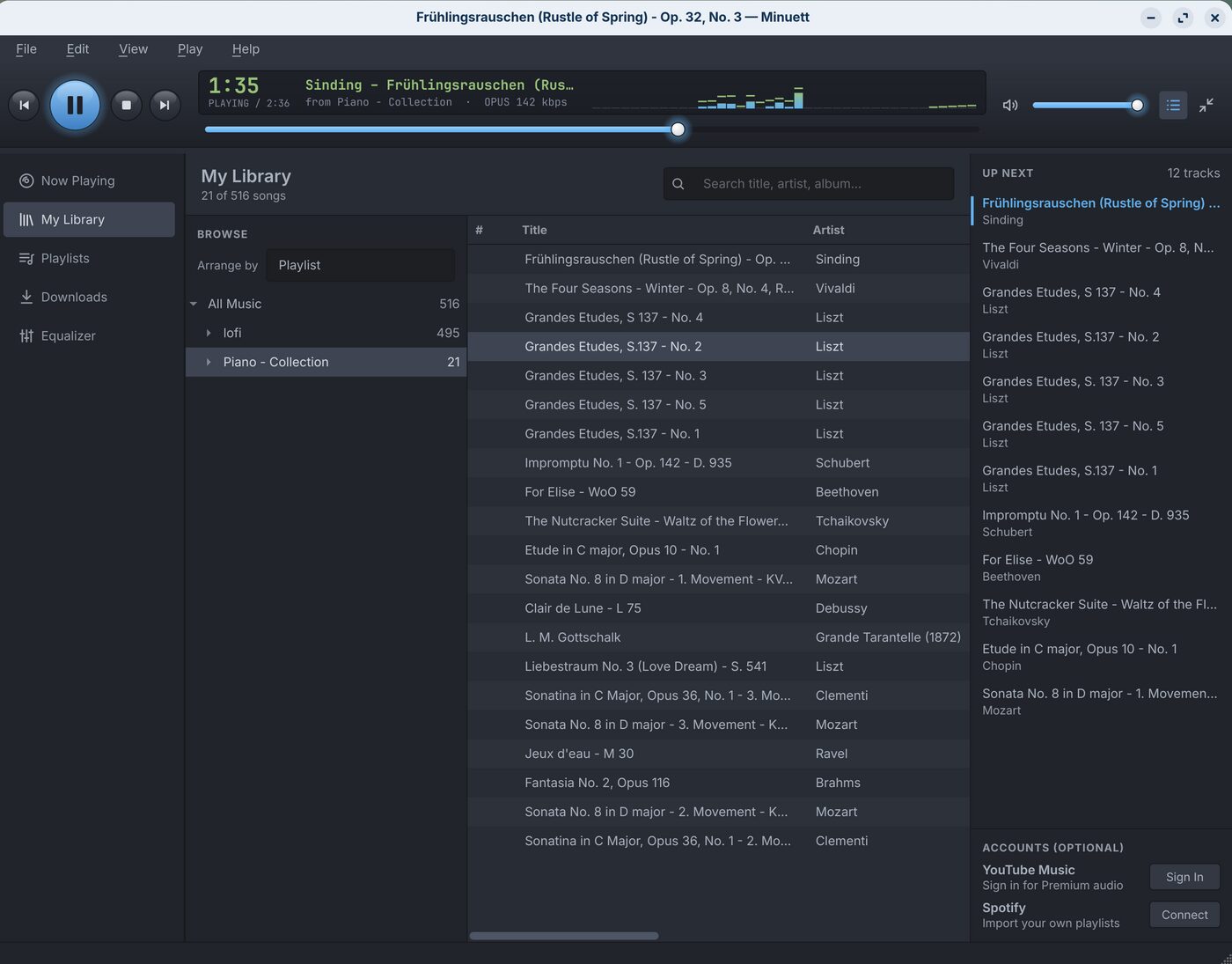
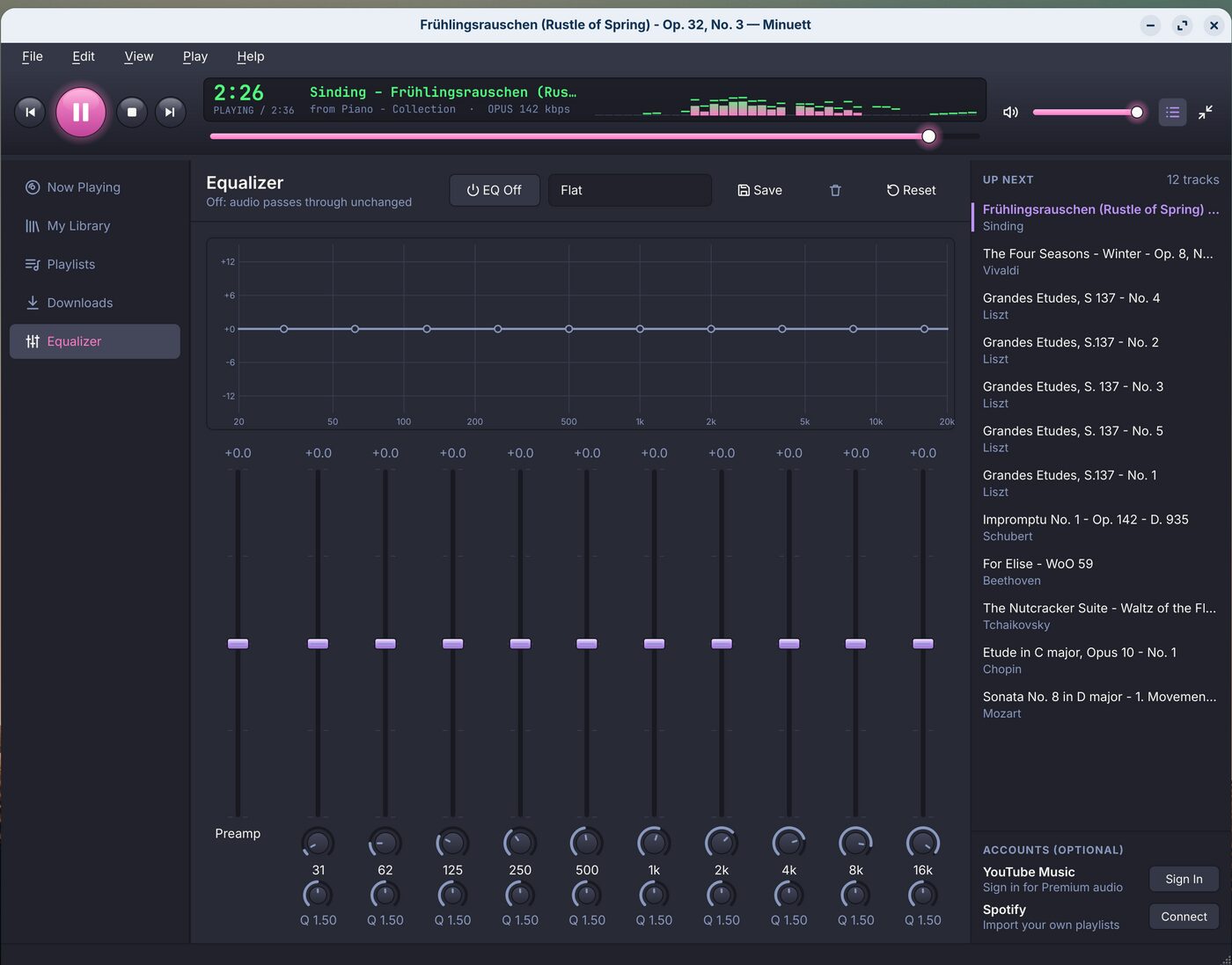
Minuett is a return to those times, in spirit. It is a library-first music player for Linux, inspired by RealPlayer 10 and Winamp. It has a top bar with a spectrum analyzer, and a 10-band parametric equalizer.
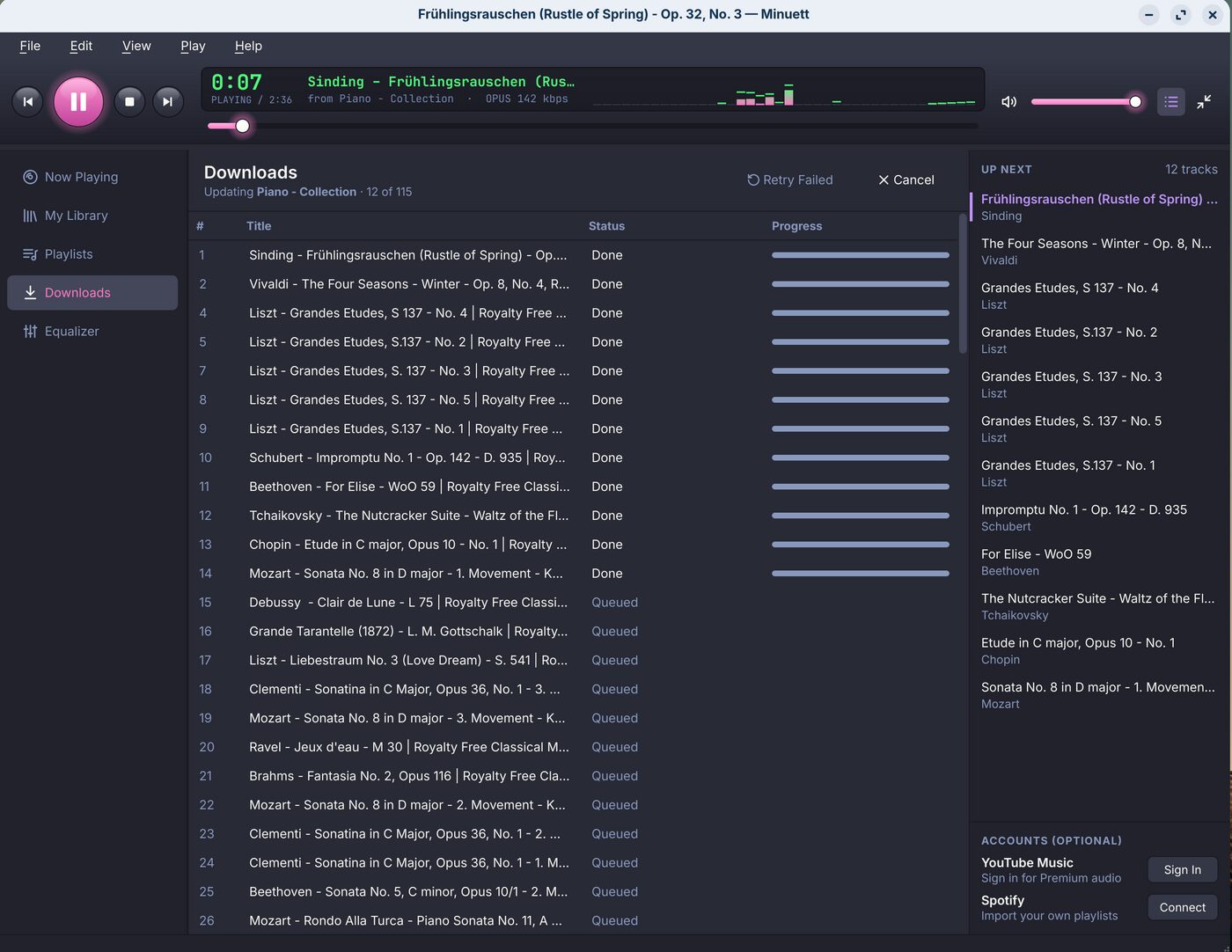
And because this is not 2004, it allows you to import playlists pulled in from YouTube, YouTube Music or Spotify. Everything is downloaded from YouTube through yt-dlp (Spotify entries are matched to the YouTube recording), converted to .opus, a free and open file format, and added to your library automatically. You can also import folders as playlists.
Rationale
Minuett is built for my own needs. I wanted a handy way of playing music as I write, in a way that didn’t always depend on an Internet connection. I only described the design and the functions; the actual work was done by Claude Sonnet 5.5. A few features came from friends (Spotify, for instance, which I don’t use myself), but I’ve kept it as clean and simple as possible.
A note on downloading. Copyright is what says you can’t keep content you have no right to keep; the DMCA is only the US version of that rule. I personally use Minuett for royalty-free or Creative Commons playlists of classical music. Use it for content you have the right to keep.
Features
Playback and audio
- Gapless playback — Opus, FLAC, AAC/M4A, MP3, Ogg Vorbis and WAV via GStreamer
- 10-band parametric equalizer — pre-amps, custom presets, and a live response curve
- Winamp-style visuals — a post-EQ spectrum analyzer and glowing transport sliders
- Toolbar mode — shrink the player to a minimal transport strip with
Ctrl+T
Library management
- Fast and lightweight — SQLite with incremental folder scanning, so rescans skip unchanged files
- Tag editing — a built-in batch editor and cover-art manager; files are written safely before the library updates
- Auto-tidying — pulls genre tags out of cluttered titles (moves “[lofi hip hop]” to the genre field)
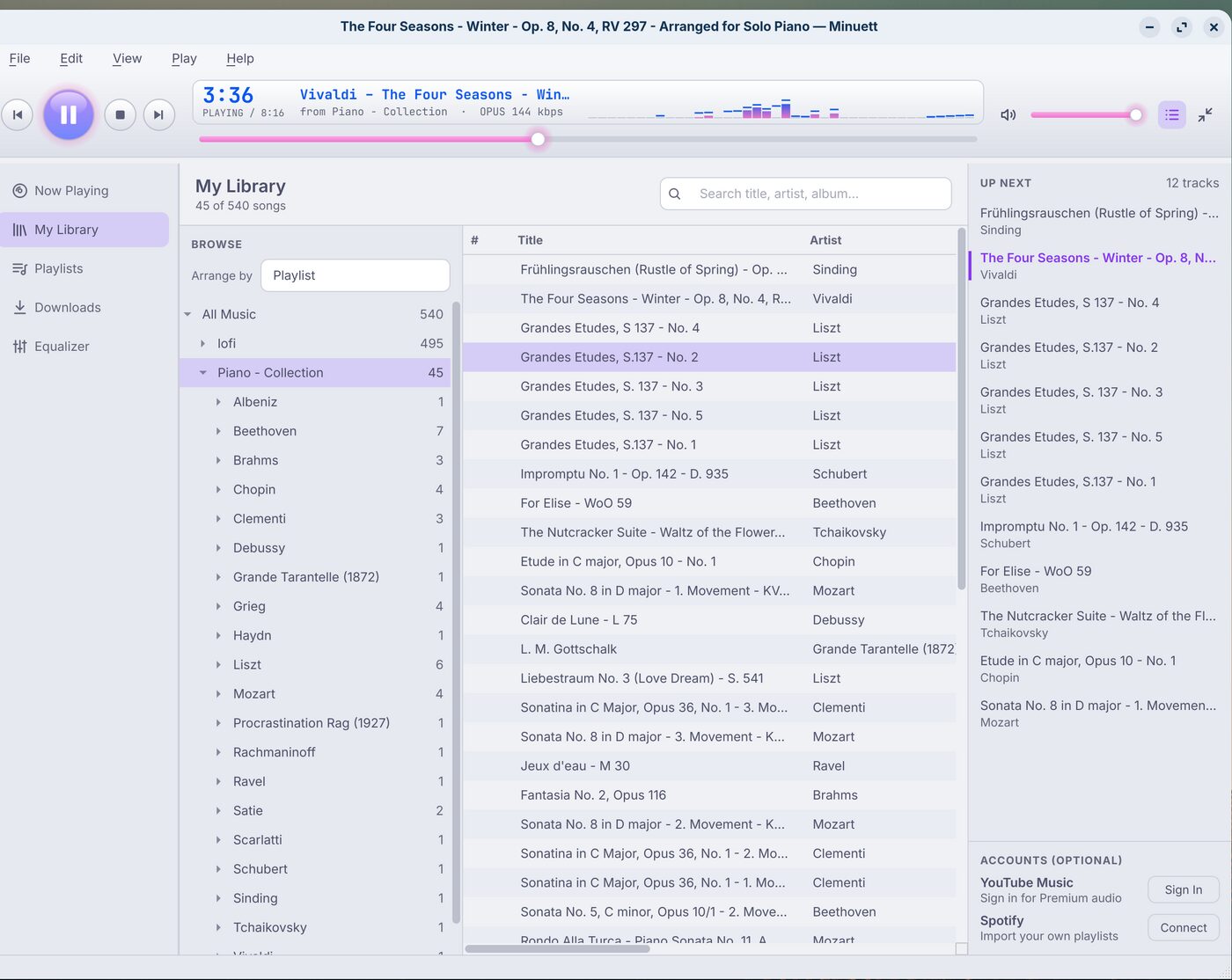
- Deep browsing — live search across all metadata, or browse by tags, date added, or the source a playlist came from
Cloud import and sync
- Bring your playlists — paste a link from YouTube, YouTube Music or Spotify to import the whole list
- Smart downloading — Opus (copied as-is when the stream is already Opus, otherwise converted at 256 kbps), MP3 V0, or the original file
- Non-destructive updates — check playlists for new additions; it never overwrites your local edits and won’t delete songs that vanish upstream
- Live folders — a local folder imported as a playlist syncs automatically on rescan
Theming
- 11 built-in themes — RealPlayer Classic (default), Dracula, Nord, Monokai Pro, Catppuccin Latte and more, all meeting WCAG AA text contrast
- Live CSS reloading — edit a simple file of variables and changes apply as you save
Privacy
No telemetry, no accounts of its own, no analytics. Minuett only goes online when you ask it to: to read a playlist you pasted, to search YouTube Music for Spotify songs, to download, to sign in, or to check PyPI for a yt-dlp update. Everything else is local.
Installing
One command, on Linux x86_64:
curl -fsSL https://raw.githubusercontent.com/yudhanjaya/Minuett/main/install.sh | bash
It uses the Flatpak bundle if you have flatpak, otherwise the AppImage. You can also download either from the Releases page. The AppImage needs glibc 2.39 or newer (Ubuntu 24.04, Fedora 40, Debian 13, or later).
Using it
- Add music with File ▸ Import YouTube Playlist… (
Ctrl+I), File ▸ Import Folder as Playlist… (Ctrl+Shift+I), or File ▸ Add Music Folder… - Double-click a song or press
Enterto play;Spacetoggles play/pause - Right-click a song to edit, move or remove it
- To update an imported playlist later, select it and press Check (see what’s new) or Update (download the new songs)
Known limitations
- Linux on x86_64 only
- Songs from Spotify and imported playlist files are YouTube Music matches, not the original recordings; occasionally the match is a different version
- Editing a playlist in Minuett doesn’t change it on YouTube or Spotify
- No media-key or MPRIS support yet
- Region-locked, private, age-restricted and members-only videos can’t be downloaded without a suitable sign-in
How it was made
Minuett was built with Claude Sonnet 5.5 (Anthropic) in Claude Code, in a single long session that ran from the design plan to packaging. The working context reached about 870,000 tokens.
License
GPL-3.0. Built on Python, Qt 6 / PySide6, GStreamer, yt-dlp, FFmpeg, mutagen and SQLite; the full credits are in the README.